Docker Basics: Golang
The Docker Basics series and the Google Microservices Demo exploration continues with Golang & Shipping Service.
Go is a programming language invented by Google. That’s why you see most of the code in this repository written in Go. The major difference from what we saw with NodeJS and Python is that Go is compilable, whereas NodeJS and Python are interpreted. When a Go program is compiled, you get an executable program with all its dependencies as a single file.
Let’s navigate to ./src/shippingservice where we find a bunch of files.
main.go is a typical entry point for the Go app.
go.mod is like a package.json for Node
go.sum is like a package-lock.json
The big difference is that in Node and Python, you rely on package registries being available (NPM, PyPI), and in Go, all you need is a link to where the dependency’s code is stored (like a Git repository).
Project Analysis
If you look at main.go you’ll see:
...

if os.Getenv("DISABLE_TRACING") == "" {
  log.Info("Tracing enabled, but temporarily unavailable")
  log.Info("See https://github.com/GoogleCloudPlatform/microservices-demo/issues/422 for more info.")
  go initTracing()
} else {
  log.Info("Tracing disabled.")
}

if os.Getenv("DISABLE_PROFILER") == "" {
  log.Info("Profiling enabled.")
  go initProfiling("shippingservice", "1.0.0")
} else {
  log.Info("Profiling disabled.")
}

...

if os.Getenv("DISABLE_STATS") == "" {
  log.Info("Stats enabled, but temporarily unavailable")
  srv = grpc.NewServer()
} else {
  log.Info("Stats disabled.")
  srv = grpc.NewServer()
}

...
So, there are 3 environment variables to set:
DISABLE_TRACINGDISABLE_PROFILERDISABLE_STATS
If you look for port you’ll find this reference at the beginning of the file.
const (
  defaultPort = "50051"
)
And later
port := defaultPort
if value, ok := os.LookupEnv("PORT"); ok {
  port = value
}
port = fmt.Sprintf(":%s", port)

lis, err := net.Listen("tcp", port)
if err != nil {
  log.Fatalf("failed to listen: %v", err)
}
If we don’t set PORT we’ll use the port 50051
Also, if you explore the file, you’ll see
func initStats() {
	//TODO(arbrown) Implement OpenTelemetry stats
}

func initTracing() {
	// TODO(arbrown) Implement OpenTelemetry tracing
}
Which means setting up DISABLE_TRACING and DISABLE_STATS won’t do anything. I’d prefer to set them anyway because I’ll definitely forget about them in a few weeks, and this functionality could already be implemented at that time.
And let’s find the version of Go we should use. Open go.mod and at the top you’ll see
go 1.19
This means we have to use at least the version 1.19 (you can read more from the official docs here: go.mod file reference)
We’ll use the latest version, which at the time of writing is 1.21.6
Dockerfile
Since we produce an artifact here, we don’t need all the code and dependencies in the resulting image.
Let’s try Alpine Linux first. You can find the official Golang Docker image on Dockerhub. We’ll stick to our tradition of letting the official maintainers take care of the minor updates. Thus, we’ll use 1.21-alpine
We’ll also need to install dependencies first to cache them and then run the build.
Plus, we need to set environment variables and start the service.
The first version of the Dockerfile should look like
FROM golang:1.21-alpine

ENV DISABLE_TRACING 1
ENV DISABLE_PROFILER 1
ENV DISABLE_STATS 1

EXPOSE 50051

WORKDIR /app

COPY go.mod go.sum ./
RUN go mod download
COPY . .

RUN go build -o ./service .

ENTRYPOINT ["/app/service"]
Let’s run it docker build -t shippingservice .
If you inspect the resulting image, it’s roughly 900 MB, which is too much.
If you transform it to the multistage, you get the following Dockerfile
FROM golang:1.21-alpine as build

WORKDIR /app

COPY go.mod go.sum ./
RUN go mod download
COPY . .

RUN go build -o ./service .

FROM alpine

ENV DISABLE_TRACING 1
ENV DISABLE_PROFILER 1
ENV DISABLE_STATS 1

EXPOSE 50051

WORKDIR /app

COPY --from=build /app/service ./service

ENTRYPOINT ["/app/service"]
In the second FROM, we have only Alpine because the Go executable doesn’t need a platform to run on, so we can get the smallest possible image, which is ~27 MB.
Perfect! How can we test it?
You’ll need Postman (download a version for your OS) and create a new gRPC request.
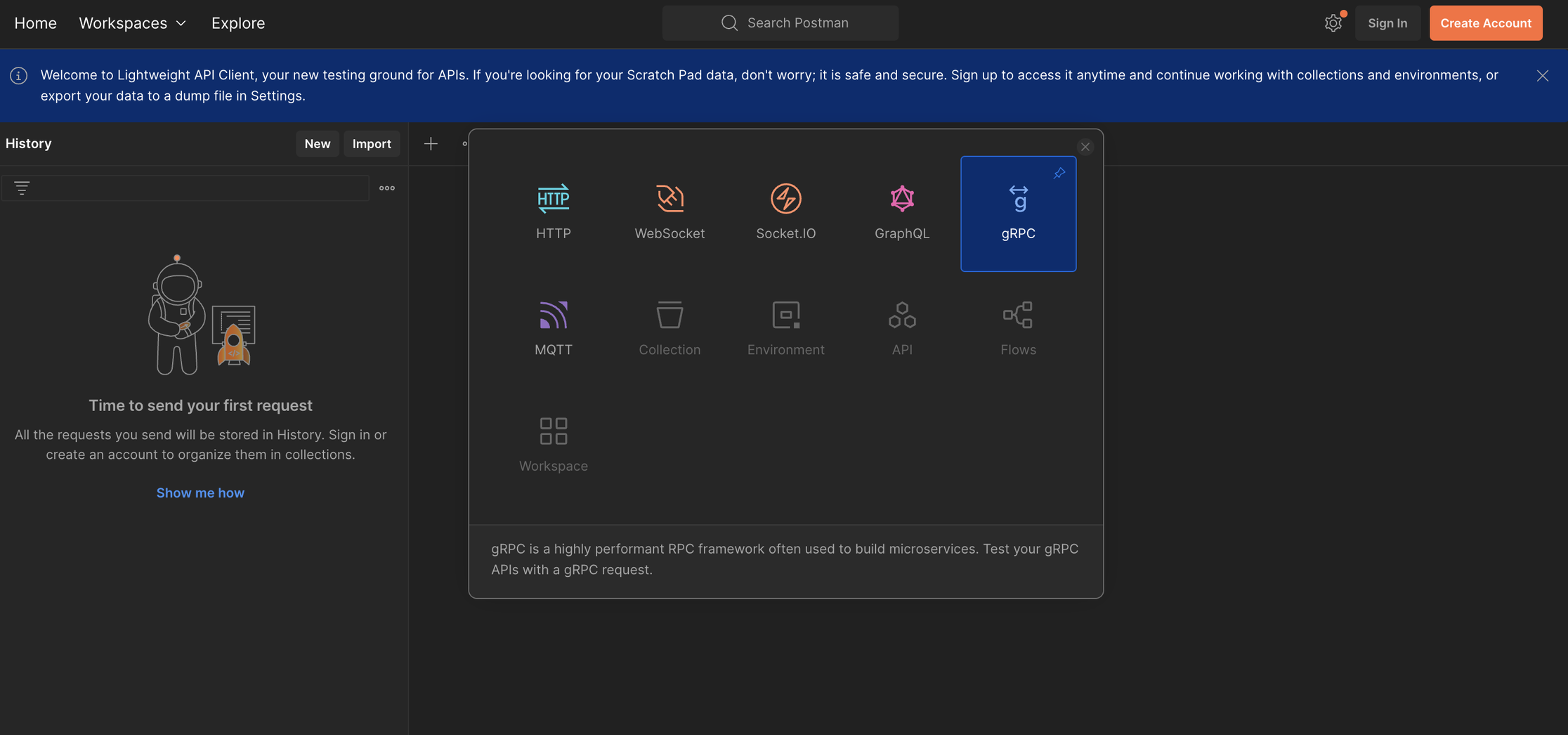
- Go to the
Service definitionstab - and click
Import .proto file. - select the folder where your microservices demo is
- select
./protos/demo.proto
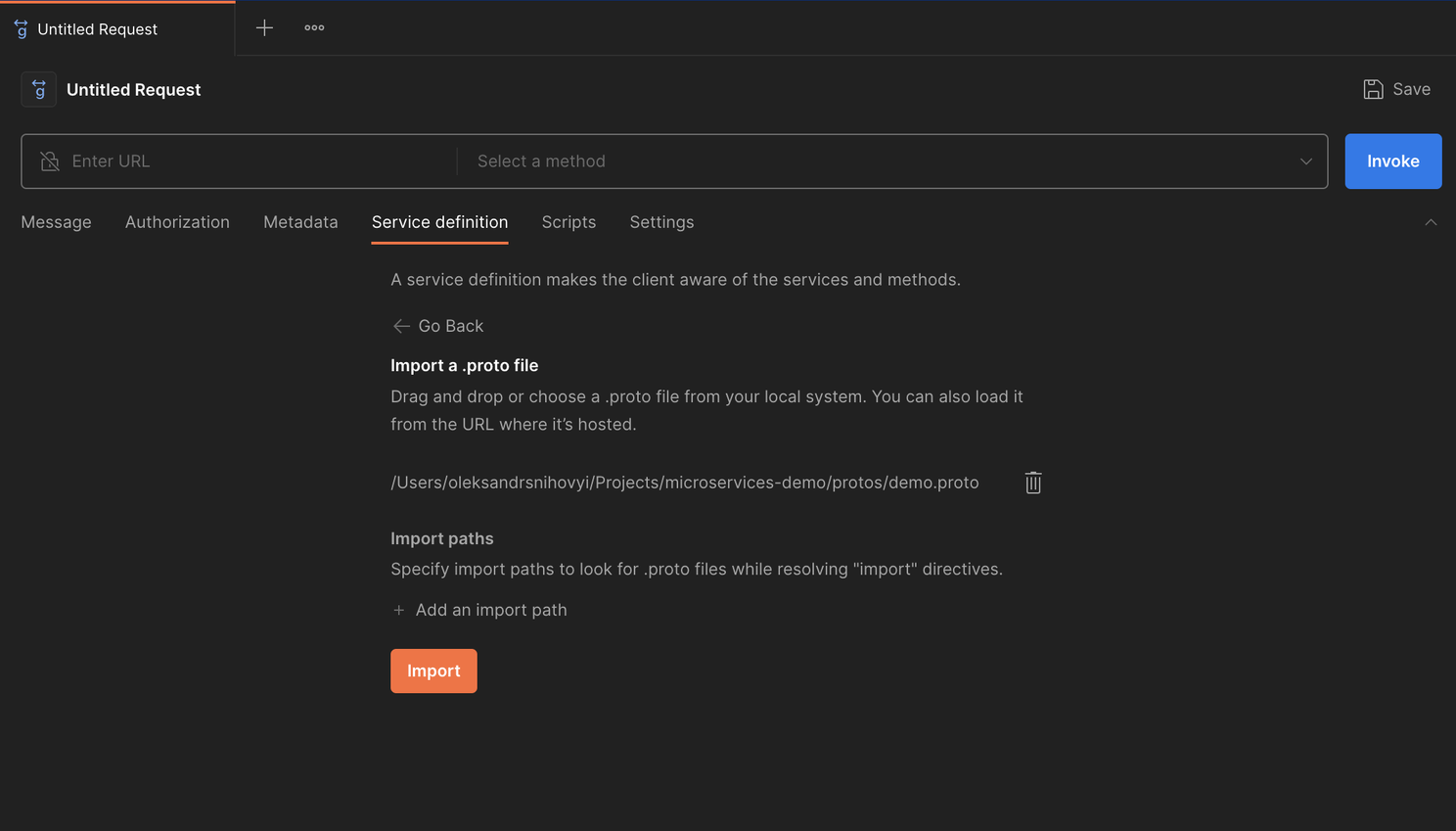
Then, hit Import
Now, go to your console and run docker run --rm -it -p 50051:50051 shippingservice
This will start the shipping service.
In Postman:
- Enter URL:
localhost:50051 - Select a method:
ShippingService/GetQuote - Let’s hit
Invoke
You’ll get something like this as the Response
{
    "cost_usd": {
        "currency_code": "USD",
        "units": "8",
        "nanos": 990000000
    }
}
Now, let’s change the method ShippingService/ShipOrder
If you hit Invoke now, you’ll get Operation Cancelled and in the console, you’ll see
panic: runtime error: invalid memory address or nil pointer dereference
[signal SIGSEGV: segmentation violation code=0x1 addr=0x0 pc=0x565c04]

goroutine 54 [running]:
main.(*server).ShipOrder(0x6af140?, {0x400003a100?, 0x4000172180?}, 0x400003a100)
        /app/main.go:138 +0xc4
github.com/GoogleCloudPlatform/microservices-demo/src/shippingservice/genproto._ShippingService_ShipOrder_Handler({0x63c9c0?, 0xcbd620}, {0x7ebe78, 0x400052c390}, 0x4000172180, 0x0)
        /app/genproto/demo.pb.go:1998 +0x164
google.golang.org/grpc.(*Server).processUnaryRPC(0x4000180c00, {0x7ebe78, 0x400052c300}, {0x7efca8, 0x400070c000}, 0x400046c120, 0x40004f60f0, 0xc733d8, 0x0)
        /go/pkg/mod/google.golang.org/grpc@v1.60.1/server.go:1372 +0xb8c
google.golang.org/grpc.(*Server).handleStream(0x4000180c00, {0x7efca8, 0x400070c000}, 0x400046c120)
        /go/pkg/mod/google.golang.org/grpc@v1.60.1/server.go:1783 +0xc4c
google.golang.org/grpc.(*Server).serveStreams.func2.1()
        /go/pkg/mod/google.golang.org/grpc@v1.60.1/server.go:1016 +0x5c
created by google.golang.org/grpc.(*Server).serveStreams.func2 in goroutine 53
        /go/pkg/mod/google.golang.org/grpc@v1.60.1/server.go:1027 +0x138
The important line is
/app/main.go:138 +0xc4
github.com/GoogleCloudPlatform/microservices-demo/src/shippingservice/genproto._ShippingService_ShipOrder_Handler
Let’s navigate in the editor there.
baseAddress := fmt.Sprintf("%s, %s, %s", in.Address.StreetAddress, in.Address.City, in.Address.State)
Based on the message invalid memory address or nil pointer dereference we can conclude that it’s trying to find these in.Address.StreetAdress in.Address.City and in.Address.State and cannot because we didn’t send it.
Let’s start docker run --rm -it -p 50051:50051 shippingservice
In the Postman, let’s add the following in the Message tab
{
    "address": {
        "streetaddress": "test",
        "city": "Test",
        "state": "Test"
    }
}
If you hit invoke, you get the success:
{
    "tracking_id": "OG-12709-68543428"
}
gRPC and REST
ou’re probably wondering what gRPC is.
gRPC is based on HTTP/2 and implements RPC (remote procedure call). It’s one of the ways to design your API. Most people are familiar with REST, which is “URL and HTTP method”-based.
For example, if you want to create a shipment in the REST world, you’ll do a POST request for the following URL orders/1283223/shippings (just as an example).
RPC is a bit different. You saw how we select a method we want to execute ShippingService/ShipOrder
gRPC is a super fast implementation of RPC.
You can read about it in this nice Google article
Conclusion
You got the Go service dockerized and know how to test it! Try testing the other services we dockerized! And I’ll see you in the next one!